How to Make a Circle in Minecraft
Learn how to make a perfect Minecraft circle with easy steps.
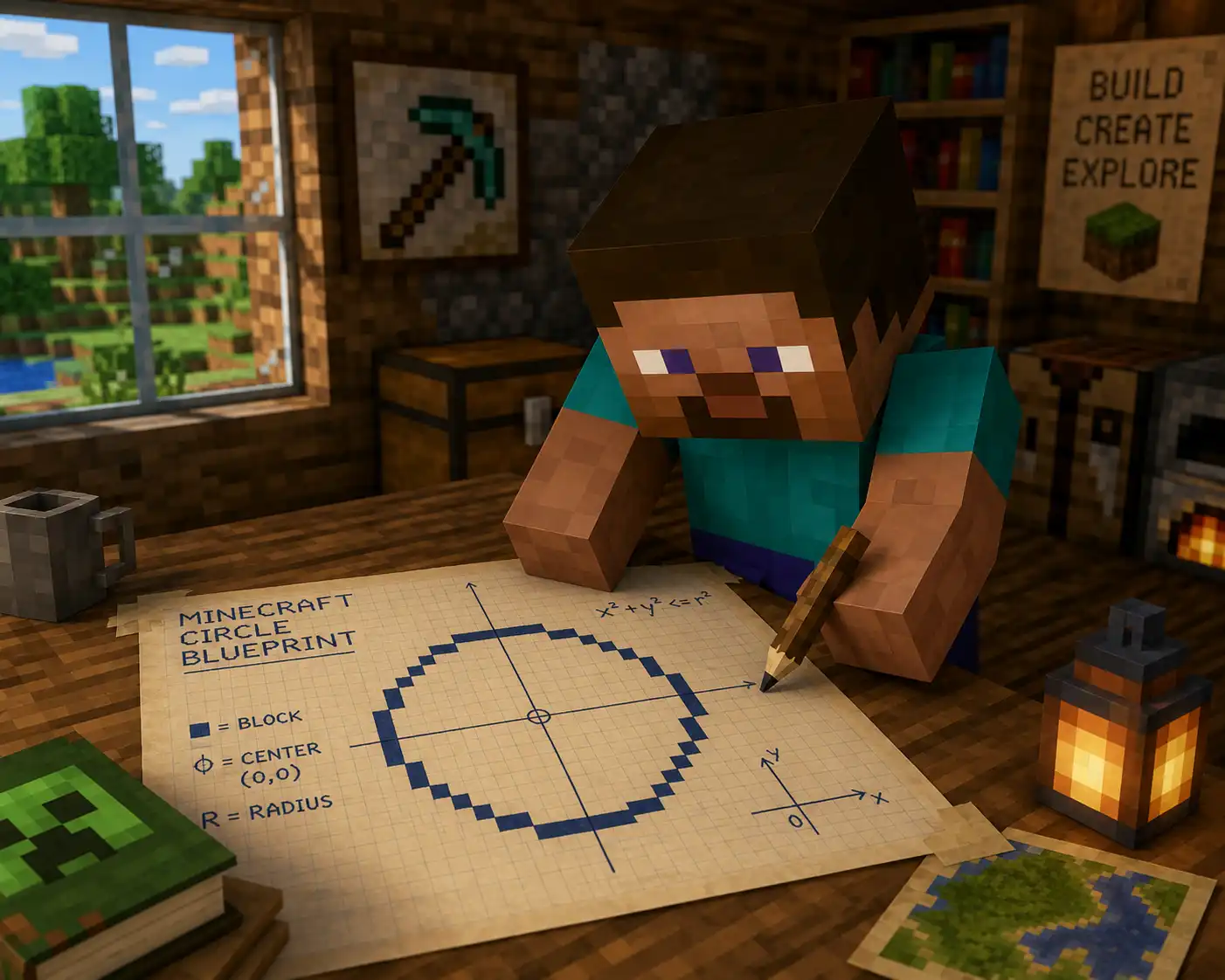
Summary: Learn how to make a perfect Minecraft circle with easy steps.
In this guide, you will learn how to make circle in Minecraft, use a simple block pattern, and use Minecraft Circle Generator to build faster with fewer mistakes.
Why Crcles Are Hard in Minecraft ?
In real life, a circle has a smooth edge. In Minecraft, every block is a square. So your circle is really a group of blocks that make a round-looking shape.
This is why many players end up with circles that look like eggs, boxes, or weird ovals. If one side has too many blocks, the whole shape looks wrong. A good circle needs symmetry. That means the left side should match the right side, and the top should match the bottom.
Now let me show you how to build a circle in minecraft
How do You Make Circles in Minecraft
Here is a demo animation using a 15-block circle as an example. It shows the full building process, and we’ll cover the details below.
Step 1: Choose the Size of Your Circle
Before placing blocks, pick a diameter. The diameter is the full width of the circle from one side to the other.
- A 9-block circle is small and good for wells or towers.
- A 15-block circle is good for rooms, domes, and gardens.
- A 31-block circle is better for big bases, arenas, or walls.
Small circles are easier to build, but they look more blocky. Large circles look smoother because they have more room for the curve.
If you want a perfect circle in Minecraft, start with an odd number like 9, 15, 21, or 31. Odd sizes often give you a clear center block.
I use 15-block circle as an example.
Step 2: Mark the Center
Find a flat area and place one block as the center point. You do not need to keep it in the final build, but it helps you stay organized.
From the center, count the same number of blocks in four directions: north, south, east, and west. These points help you keep the circle even.
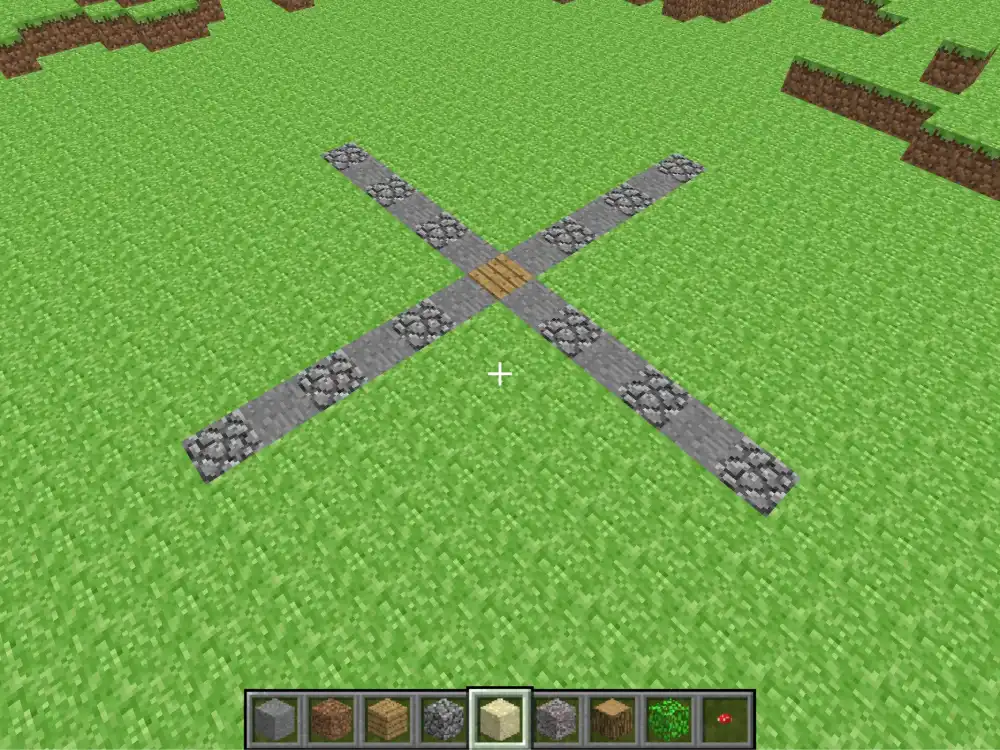
For a 15-block circle, the radius is 7 blocks from the center to the edge. Count 7 blocks out from the center in each main direction.
Step 3: Build One Quarter First
Do not build the whole circle at once.
Build only the curved part from the top of the circle to the right side. Think of it like making a staircase that turns.
A quarter circle can use this order:
- Start at the top point and place 3 blocks going right.
- Move 1 row down and a few blocks right. Place 2 blocks going right.
- Move 1 row down and right again. Place 1 block.
- Move 1 row down and right again. Place 1 block.
- Now switch direction.
- Move down and place 2 blocks in a vertical line.
- Move right 1 block, then place another 2 blocks in a vertical line.
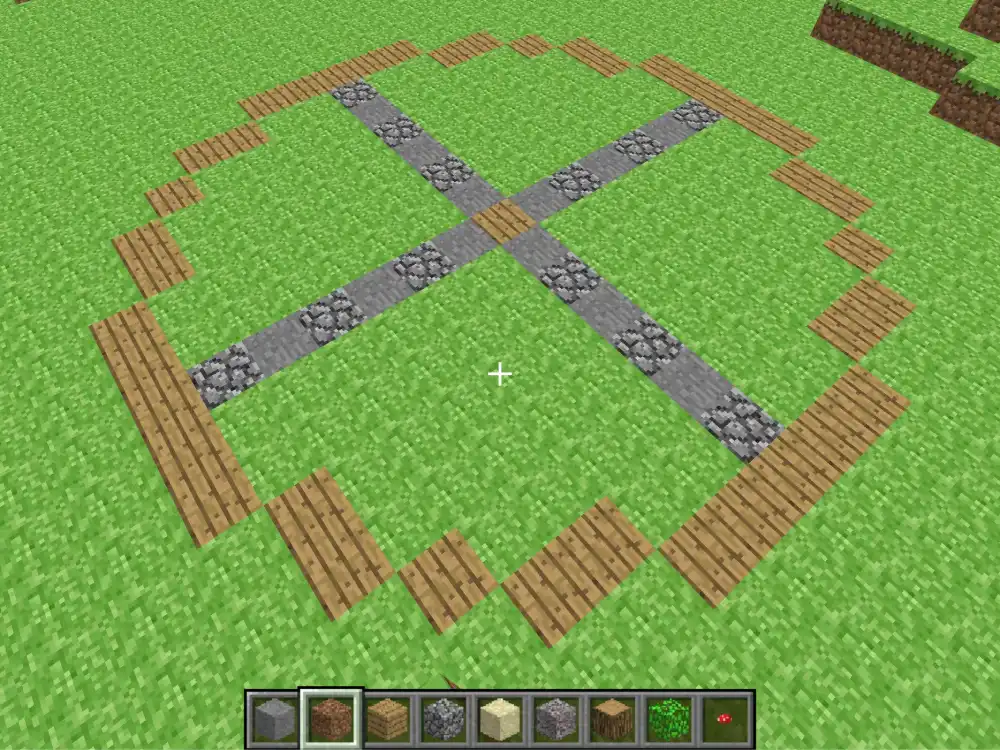
When you're done building it, it should look like this:
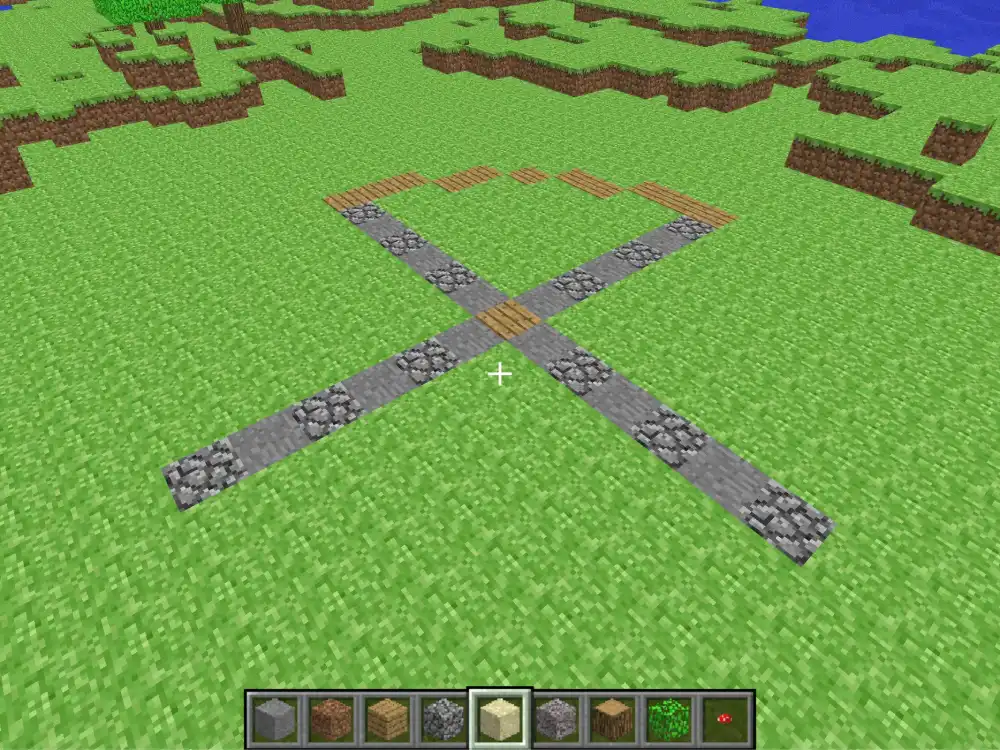
So the block groups are easy to remember: 3, 2, 1, 1, 2, 2. The first groups go sideways. The last groups go downward.
Step 4: Copy the Pattern Around the Circle
Once one quarter looks good, mirror it to the other sides. This is the easiest way to create circle in Minecraft without guessing.
Stand above your build if you can. From the top, you can see if the circle is even. Fix any side that sticks out before adding walls.
Step 5: Turn the Outline Into a Build
After the outline is finished, you can turn it into many things: such as a tower base, a castle wall, a round farm, etc.
If you want a ring instead of a filled circle, build a second smaller circle inside the first one. Then remove the blocks in the middle.
Use Minecraft Circle Generator to Help Build
The fastest way to make a clean circle is to use Minecraft Circle Generator. It gives you a block-by-block chart, so you do not need to guess the pattern.
Here is how to use it:
- Open Minecraft Circle Generator.
- Enter the diameter you want, such as 15, 21, or 31.
- Choose the thickness if you want a ring or wall.
- Look at the pixel circle chart.
- Copy the blocks into your Minecraft world row by row.
This helps when you want to make circle in Minecraft for a serious build. You can see the full shape before placing blocks.
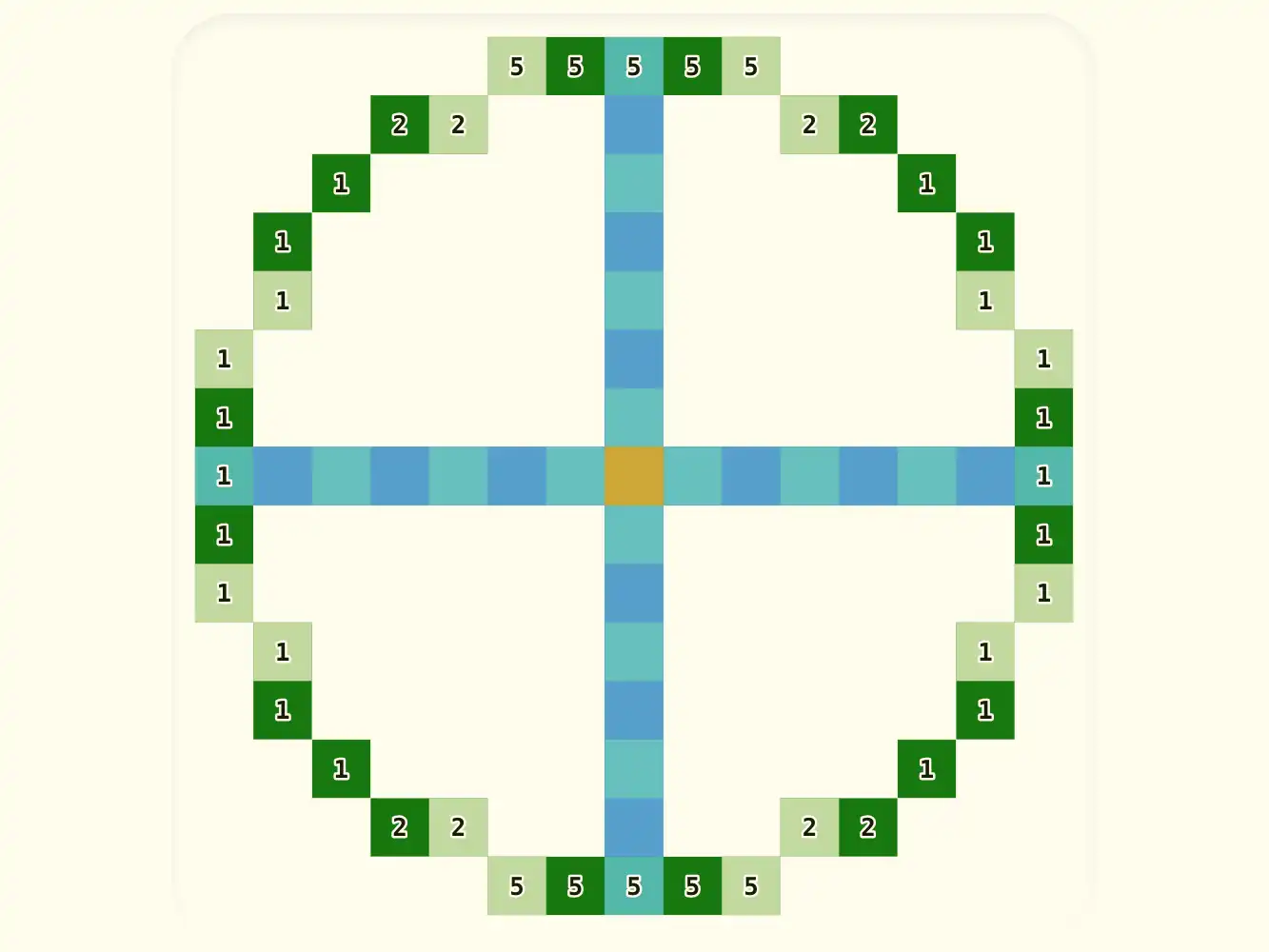
The generator shows where each block should go. Follow the grid from top to bottom. If your build looks wrong, compare it with the chart.
Tips for a Better Minecraft Circle
Use a different block color for the outline first. Dirt, wool, or concrete works well. After the shape is correct, replace it with your final material.
Build from a top-down view when possible. It is easier to spot mistakes from above than from the ground.
Keep the circle simple before adding details. Add stairs, slabs, glass, and lights only after the main shape is correct.
For large builds, mark the center and four main points first. Then fill in the curved parts with the generator chart.
Final Thoughts
Learning how to make a circle in Minecraft is mostly about planning. Choose a size, mark the center, build one clean curve, and copy it around the shape.
If you want to build circle in Minecraft by hand, start small and practice. If you want a faster and cleaner result, use Minecraft Circle Generator. It helps you create circle in Minecraft with a clear pattern, and it makes a perfect circle in Minecraft much easier to build.
Finally, thanks for reading!